
Use case
Create a complete Amazon listing from a supplier link
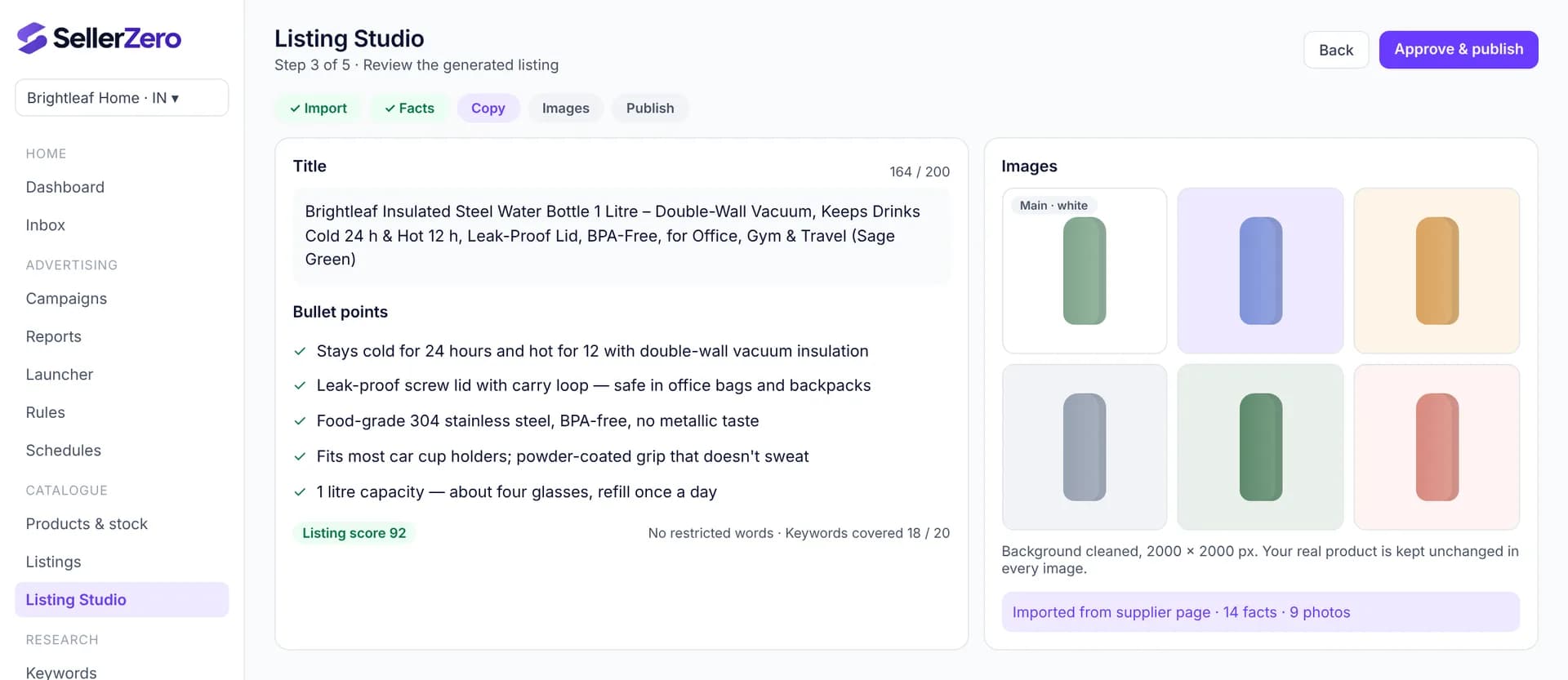
Listing Studio turns a supplier product page into a ready-to-publish Amazon listing. It imports the product facts and photos, writes a title, bullets, description and backend keywords you can edit, cleans images while keeping your real product unchanged, and publishes only after you approve.
Last updated 6 November 2026
The problem
Writing a listing from a supplier page takes hours: translating specs, writing within character limits, avoiding restricted words and preparing images.
Generic AI tools invent features or change how the product looks, which leads to returns and listing problems.
How to do it with SellerZero
- 1
Paste the supplier link
Product facts and photos are imported; if a page can't be read, you can add them by hand.
- 2
Check the facts
Confirm materials, sizes and what's in the box. Copy is written only from confirmed facts.
- 3
Edit the copy
Title, five bullets, description and backend keywords, each within limits and checked for restricted words.
- 4
Prepare images
White-background main image and extra shots, keeping the real product unchanged.
- 5
Publish
Review the listing score and publish to your catalogue after approval.
What to measure
| Metric | Why it matters |
|---|---|
| Listing score | Completeness of title, bullets, description, keywords and images, out of 100 |
| Sessions and conversion | Whether the new listing turns visits into orders |
Definitions: Amazon advertising glossary
Features used
Frequently asked questions
- Does it change how my product looks?
- No. Images are cleaned and placed in new scenes, but the product itself is kept as it is in your photos.
- Which supplier sites work?
- Most product pages with readable product details. If a page blocks import, you can paste the facts and upload photos instead.
Other use cases
Free while we're in beta
Every feature, every store, no card needed. Connect your seller and ads accounts in a few minutes.