
Use case
Cut wasted Amazon ad spend and lower ACOS
To reduce ACOS on Amazon, stop paying for clicks that don't sell and move bids toward a target set below your break-even ACOS. SellerZero finds keywords and search terms with spend but no orders, proposes negatives, pauses and bid cuts, and applies them only after you approve.
Last updated 6 November 2026
The problem
Most accounts lose money on a long tail of search terms that get clicks but no orders. Each one is small; together they often decide whether ads are profitable.
One account-wide target ACOS hides the problem: a product with a 15% break-even loses money at 20% ACOS while another with 30% is fine.
How to do it with SellerZero
- 1
Set a target per product
Work out break-even ACOS after GST and fees, then set a target a few points below it.
- 2
Find the waste
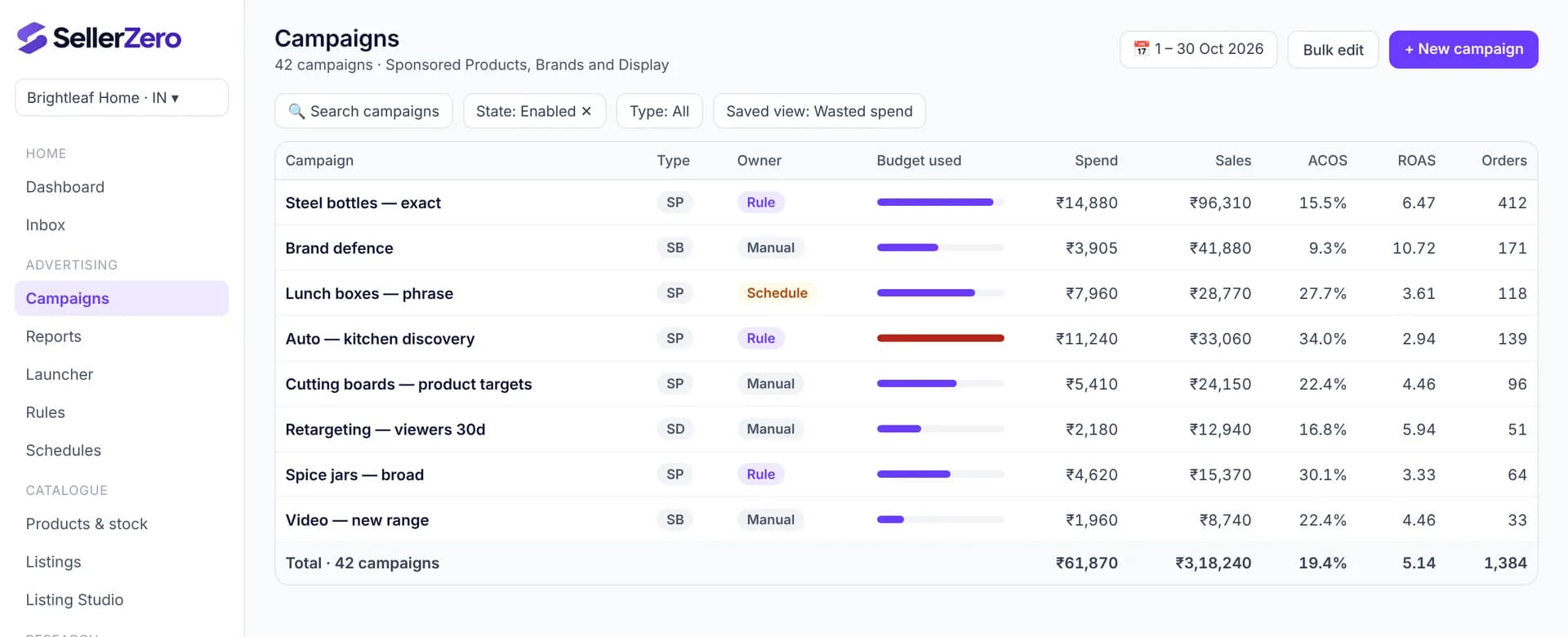
The Wasted spend view lists keywords, targets and search terms with spend above 2 × your target cost per order and no orders.
- 3
Negate and pause
Add wasteful search terms as negative exact or negative phrase, and pause keywords that never convert.
- 4
Bid toward target
The Bid to target ACOS rule moves bids at most ±20% a day, only after 10+ clicks, so changes stay small and reversible.
- 5
Review and approve
All changes appear as one preview with old and new values. Approve, and each change is applied and logged with an undo.
What to measure
| Metric | Why it matters |
|---|---|
| ACOS | Ad spend ÷ ad sales — the direct measure of efficiency |
| TACOS | Ad spend ÷ total sales — shows whether cuts hurt overall sales |
| Wasted spend (₹) | Spend on terms with no orders in the look-back window |
| Orders | Make sure cuts don't remove converting traffic |
Definitions: Amazon advertising glossary
Features used
Advertising manager
Sponsored Products, Brands and Display campaigns in one table, with spend, sales, ACOS and ROAS you can trust.
Rules and automation
Write rules in plain terms — “lower bids 10% when ACOS is above 40% for 14 days” — and let them run on a schedule.
Nothing changes without you
Every bid, budget or listing change is shown as a preview first. You approve it, we apply it, and you can undo it.
Frequently asked questions
- What is a good ACOS on Amazon India?
- A good ACOS is one below your own break-even ACOS, which depends on price, GST, Amazon fees and product cost. Work it out per product rather than using one number for the whole account.
- Will cutting spend reduce my sales?
- It can if converting terms are cut. SellerZero only proposes cuts on terms with spend and no orders over a look-back window with minimum clicks, and you approve each change. Watch orders and TACOS for two weeks after.
- How long until ACOS improves?
- Negatives and pauses take effect within a day. Bid changes move gradually (at most 20% a day), so expect a clear trend over 2–3 weeks.
Other use cases
Free while we're in beta
Every feature, every store, no card needed. Connect your seller and ads accounts in a few minutes.